
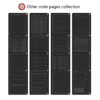

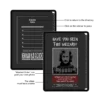
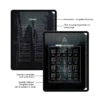
Key Interactive Features
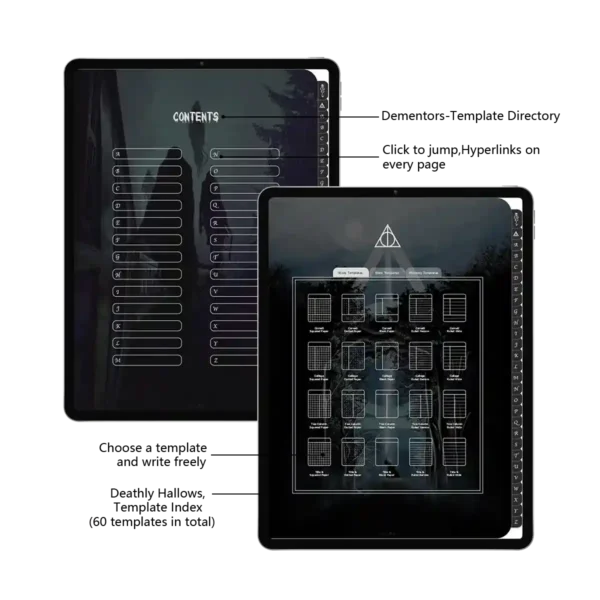
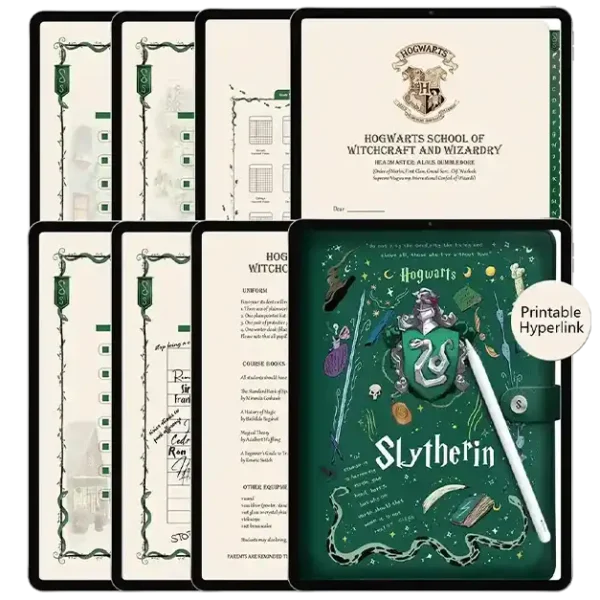
Hyper-Responsive Navigation: A full hyperlinked design that turns your planner electronic into an interactive experience with zero-lag jumps.
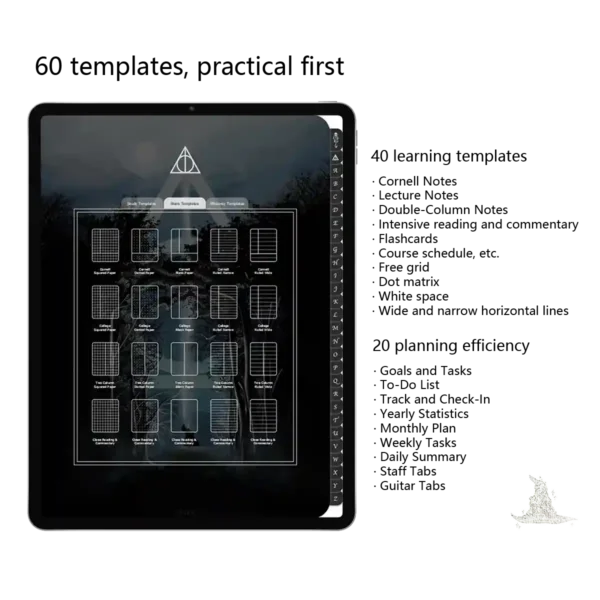
All-in-One Academic Suite: A robust student weekly planner featuring 40 study templates like Cornell Notes and learning flashcards.
Ultimate Efficiency Layouts: 20 productivity tools including Monthly Plans, Goal Trackers, and Year-in-Review spreads.
High-Tactile Digital Paper: High-resolution “Super-Sensory” paper textures that mimic the feel of vintage parchment on your iPad Pro.
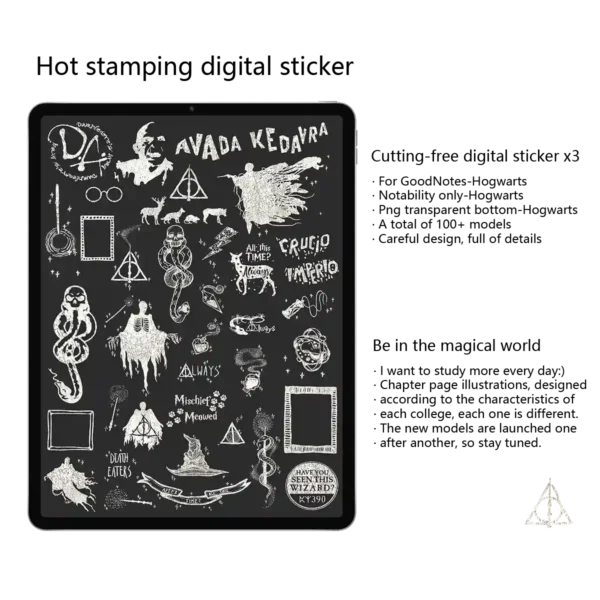
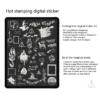
Complete Customization Kit: Includes no-cut digital stickers (Goodnotes/PNG/Notes formats), magical sticky notes, and exclusive color palettes.
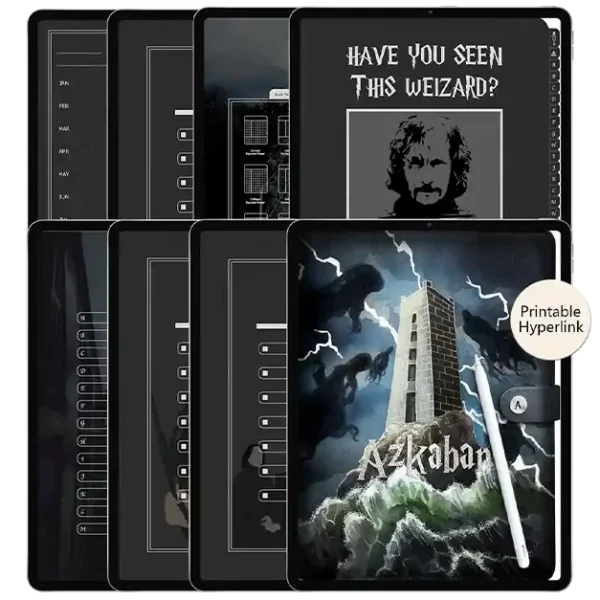
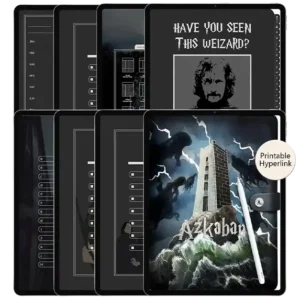
Azkaban Legacy Design: Features a dark, faux-leather texture with hand-drawn illustrations and a hyperlinked sidebar inspired by wizarding relics.
Why The Digital Weekly Azkaban Edition is a Game-Changer for Students
If you’ve been searching for a planner electronic that actually makes you want to study, you’ve just found it. The digital weekly Azkaban edition is meticulously crafted for the ambitious scholar who thrives in a dark, immersive atmosphere. Unlike a standard daily planner pad, this digital notebook provides a structured yet flexible environment that adapts to your unique workflow, whether you are prepping for exams or managing complex projects.
(1) Deep Integration with the Modern Software Ecosystem
We’ve engineered this student weekly planner to be the most responsive tool in your Software Ecosystem. While it’s a favorite for Goodnotes users, it performs exceptionally well in Noteful, Notability, and Samsung Notes. When paired with an Apple Pencil on an iPad Pro, the feedback is incredibly natural. We’ve optimized every page to be a no-lag PDF, so you can flip through all 94+ pages without a single stutter—even as your notes grow throughout the semester.
(2) Practicality Meets Wizarding Craftsmanship
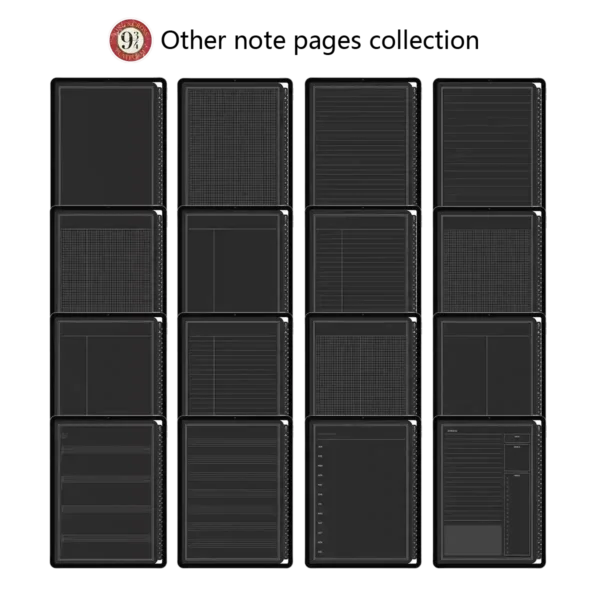
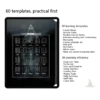
This is more than just a novelty; it’s a professional-grade planner electronic. With 60 specialized templates, we’ve covered every possible need:
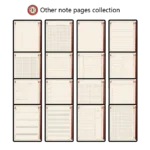
The Scholarly Collection (40 Templates): From Cornell Notes for deep analysis to specialized templates for music theory (guitar tabs and staff paper).
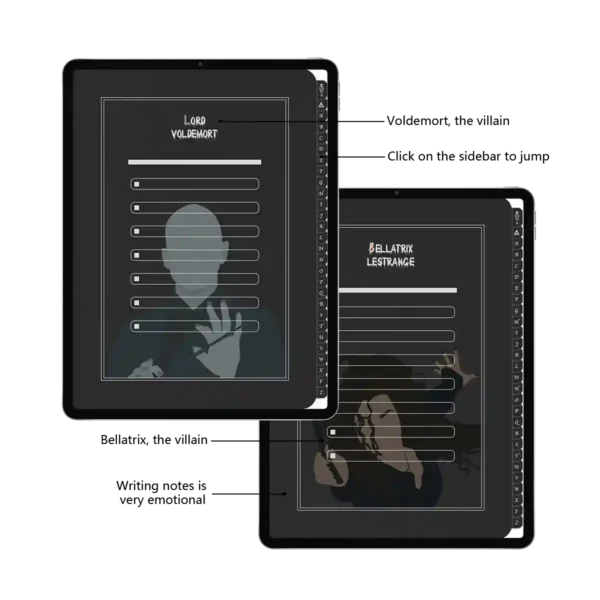
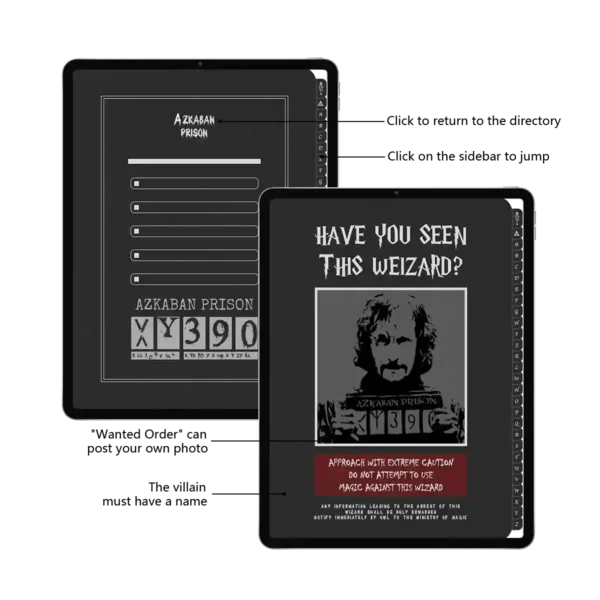
The Strategic Hub (20 Templates): Manage your Monthly Plan, track your habits, and organize your weekly tasks with a level of detail that a physical daily planner pad simply can’t offer. Every section is separated by stunning, hand-drawn chapter dividers. One tap on the central icon or the sidebar takes you exactly where you need to be.
(3) Expert Tips: Professional Secrets for Your Digital Journey
Expert Insight on Navigation: To master the digital weekly, always ensure your app is in “Read-Only Mode” when using the tabs. This unlocks the “Relic Directory,” allowing you to teleport between your student weekly planner and your lecture notes in milliseconds.
Beyond Productivity: The Psychological Magic of a Themed Planner
Why choose an Azkaban-themed planner electronic over a generic white screen? Because the environment where you plan matters. In the wizarding world, Azkaban represents the ultimate test of mental fortitude. We’ve captured that brooding, focused energy in this design to help you conquer “dementor-like” procrastination.
By using the digital weekly, you’re not just filling out a daily planner pad; you’re engaging in a ritual. The dark faux-leather textures and high-contrast typography are specifically designed to reduce digital eye strain, allowing for longer, deeper study sessions. When your study environment—even a digital one—feels this immersive, your brain naturally shifts into a high-focus state, making this the ideal student weekly planner for those tackling rigorous exams or complex creative projects.
Seamless Customization: From Music Scores to Monthly Reviews
The versatility of this planner electronic lies in its 60+ templates. We understand that a student’s life isn’t just about lectures. That’s why we included specialized layouts like guitar tabs and five-line staff paper alongside our Cornell Notes. Imagine tracking your habits on a page that looks like a Ministry of Magic document, or performing a yearly review on a parchment-style interface.
This level of detail ensures that your happy journal and your boss calendar exist in the same cohesive aesthetic. Whether you’re a minimalist who loves the simplified planner approach or a maximalist who fills every corner with digital stickers, the high-resolution architecture of the digital weekly supports your style without slowing down your app.
Expert Tip for Stickers: Don’t just use stickers for decoration. Use the included PNG stickers to categorize your priority levels. For users of Noteful or Goodnotes, I recommend creating a “Sticker Sheet” in your app’s elements tool to keep your magical icons and sticky notes at your fingertips while you plan a notebook.
Product Specs Table
| Attribute | Specification |
| Primary Intent | The Digital Weekly / Academic Management |
| Theme | Azkaban Wizarding Style (Dark Aesthetic) |
| File Format | Interactive PDF + PNG/Goodnotes/Notes Stickers |
| App Compatibility | Noteful, Goodnotes, Notability, Samsung Notes |
| Template Count | 60+ (40 Learning / 20 Efficiency) |
| Interactive Feature | Full Hyperlinked Navigation & Tabs |
| Paper Texture | Ultra-Sensory Simulated Paper |
FAQ
Q: Can I use this planner electronic on an Android tablet? A: Yes, you can. While many use it on iPad, it functions perfectly as a daily planner pad on Android devices using Samsung Notes or Xodo, with all hyperlinks fully active.
Q: Is the student weekly planner compatible with Noteful? A: Absolutely! The digital weekly is optimized for Noteful, Goodnotes, and Notability, providing a smooth, no-lag experience across all major PDF annotation apps.
Q: How do I access my files after the purchase? A: You will receive an instant download link immediately. This includes the PDF planner, three formats of stickers, and the custom color palettes.
Included Files:
After checkout, you will be redirected to a page where you can download your files. You will also be emailed with your purchased file
Upon purchase, you will be given access to (1) download dashboard PDF file.
You can download all planner options, stickers, and covers by opening this file in your web browser (Safari is recommended).
The download contains the following:
1 x Azkaban Notes Template
1 x Digital stickers(GoodNotes/Notability/Png three formats)
To Use:
iPad & Mac
This planner is designed to work best on the iPad and can be used on all versions and sizes. To use the planner on an iPad, you will also need an accompanying note app such as GoodNotes , Noteshelf, Notability, Samsung Notes and Xodo.
The planner can also be used on an iMac or MacBook with the GoodNotes and Noteshelf apps’ desktop version.
Android/PC
This planner can be used with most Android tablets. However, since there is such a large variety of tablets, we cannot guarantee that the planner will work on all Android devices. If your device supports the Noteshelf or Xodo app, you should be able to use the planner template as well.
Have a question about using the planner? Check out our Answer Vault where we answer our most frequently asked questions.
Return Policy:
Please note that this is a digital product and no physical product will be shipped. Also, due to the irretrievable nature of digital files, all sales are final. Please review the listing thoroughly before purchase. Not sure if the product will work for you? Feel free to send any questions to hello@harrypotterplanner.com

Clare Logan –
The dark, minimalist design is surprisingly calming. No distractions, just pure productivity. It’s my go-to for writing and coding. The Azkaban theme actually helps me lock in.
Corbin –
I was intrigued by the Azkaban theme but skeptical about its practicality. It’s become my go-to for writing and coding. The dark, minimalist design is incredibly easy on the eyes and completely eliminates visual clutter. The dementor motif is subtle but effective – a stark reminder to stay focused and not let my thoughts wander. It’s the most productive I’ve been in ages👱♀️
Kristen Sigman –
I like this theme, haha~
美咲 –
ダークファンタジー好きにはたまらない一品です。表紙のアズカバン牢獄の雰囲気がすごく出ていて、使っているとなんだかクールでかっこいい気分にさせてくれます。ページの細部までこだわったデザインがとてもおしゃれ。毎日の日記帳として使っていますが、少し憂鬱な気分の時も、このノートに書き出すとすっきりします。デメンターのシールが付いていて、それも可愛いです。
Shaneen –
I use this as my private journal for tough days. There’s something freeing about writing in a space that acknowledges darker moods. The gothic aesthetic is oddly comforting✍️