
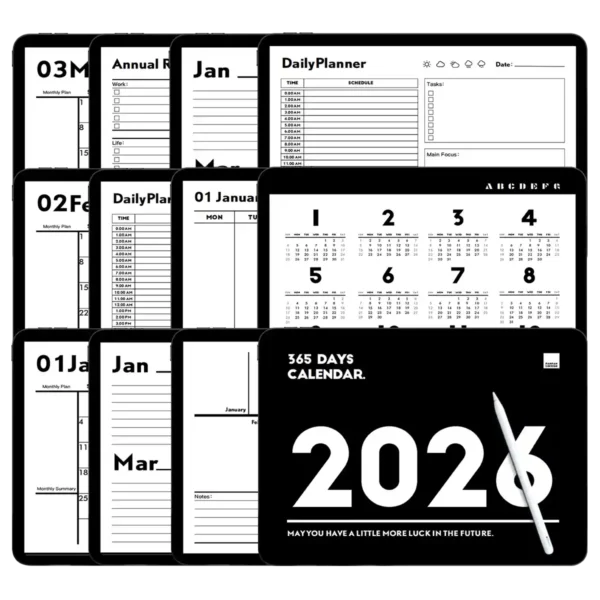
GoodNotes Templates: Finally, a Digital Planner That Grows With You in 2026
Ever feel like your current planning system just… cracks under pressure? You start January strong with a shiny new app, but by March, your to-dos are scattered across sticky notes, your goals are forgotten, and that “big picture” feels blurrier than ever. For busy moms managing family schedules and personal projects, students balancing coursework and side hustles, or professionals aiming for a promotion, this fragmentation isn’t just frustrating—it’s a barrier to the life you want to live.
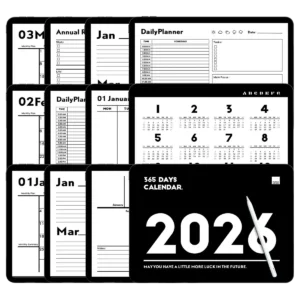
The 2026 Ultimate Digital Planner Bundle was born from that exact pain point. We didn‘t just create another pretty template; we engineered a cohesive, intuitive, and deeply thoughtful planning ecosystem for your iPad. This isn’t about filling in boxes—it‘s about providing a clear, adaptable structure that captures both your daily tasks and your grandest ambitions, all connected with a single tap. Stop switching between tabs and struggling with manual navigation. Your path to a more organized, productive, and intentional year starts here.
Your All-in-One Hub for Annual Mastery
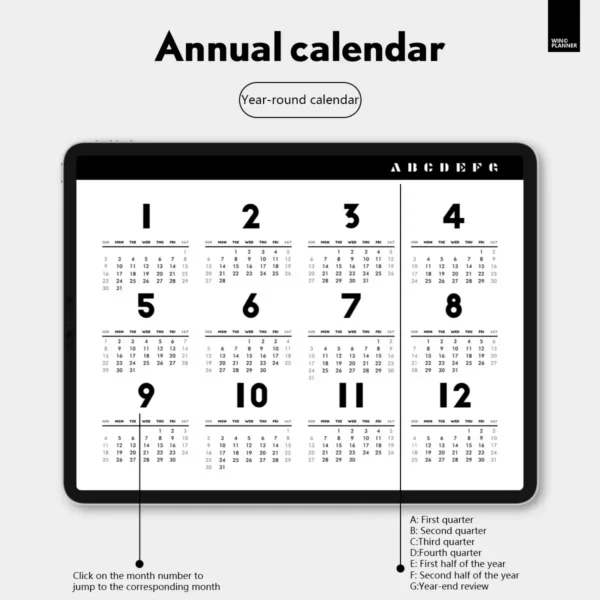
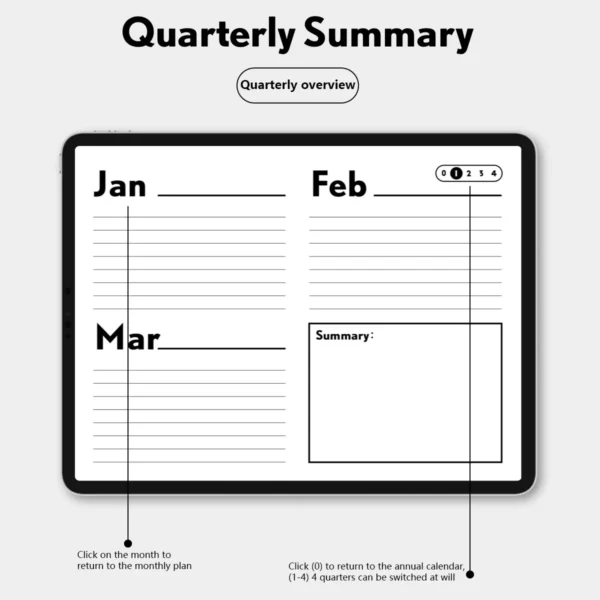
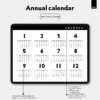
Imagine having a personal planning assistant built into your iPad. Open to the hyperlinked 2026 yearly calendar, tap on “July,” and you’re instantly on that month‘s page. Need to check your quarterly goals? One tap takes you there. This seamless flow is the foundation of stress-free planning.
Master the Macro & Micro: From the big-picture Yearly Overview down to the granular Daily Time-Blocked Schedule, every level of planning is covered.
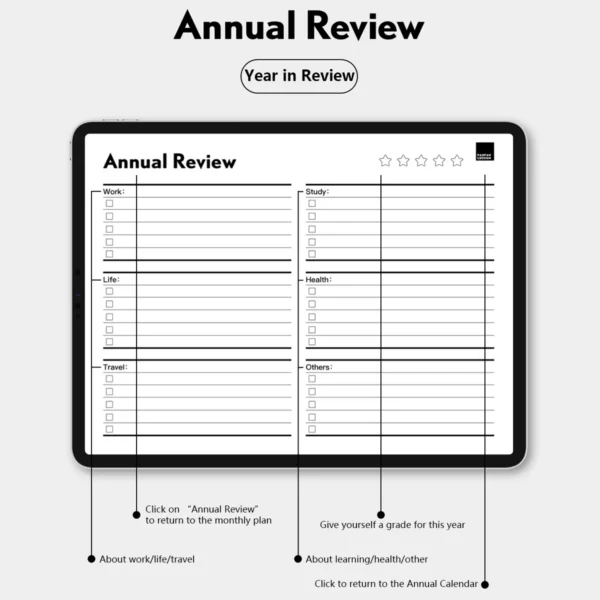
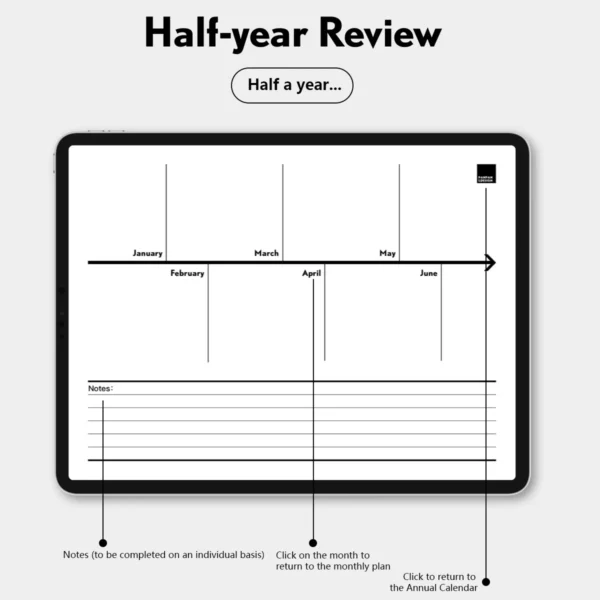
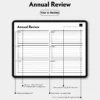
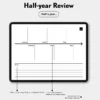
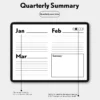
Built-In Reflection Engine: Move beyond scheduling with built-in Quarterly Check-ins, a Mid-Year Review, and a profound Annual Review section. This is where true growth happens—by consistently reviewing what’s working and what‘s not.
Designed for Real Life: Whether you’re a “mom planner” coordinating school runs and meal prep, or a professional managing multiple client projects, the flexible layouts adapt to your priorities. The clean, minimalist design reduces visual noise, helping you focus on what matters.
How to Get Started: Your Master Planning Workflow in 5 Minutes
Getting value from this planner shouldn’t require a manual. Here’s your simple launch plan:
Import & Tap: Download the
.goodnotesfile directly into the GoodNotes app (or your preferred app). Open the file and land on the stunning cover. Tap the “2026” icon on the cover page. You‘ll be taken to the master yearly index.Set Your “North Star”: Before diving into weekly tasks, go to the Annual Review page at the back. Briefly jot down 3-5 core themes or goals for your year in the “Focus Areas.” This sets your intention.
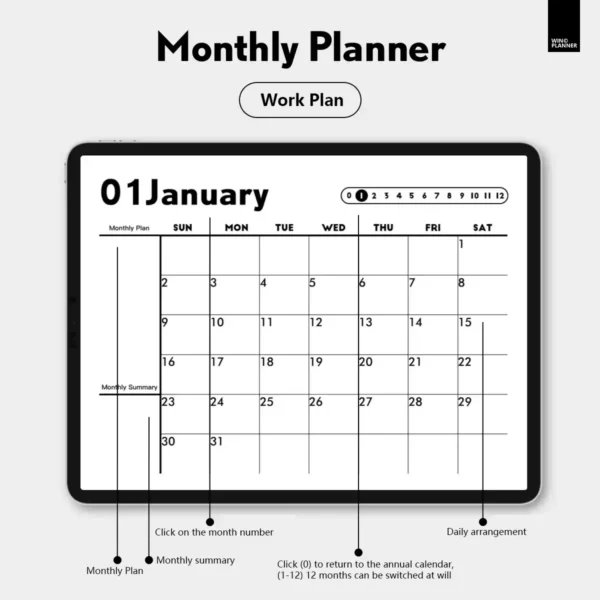
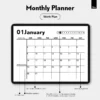
Navigate with Intent: Need to plan April? On the yearly calendar, tap “4” for April. You’re now on the Monthly Plan page. To see the first week of April, tap the “4” again on that monthly page. It‘s that intuitive.
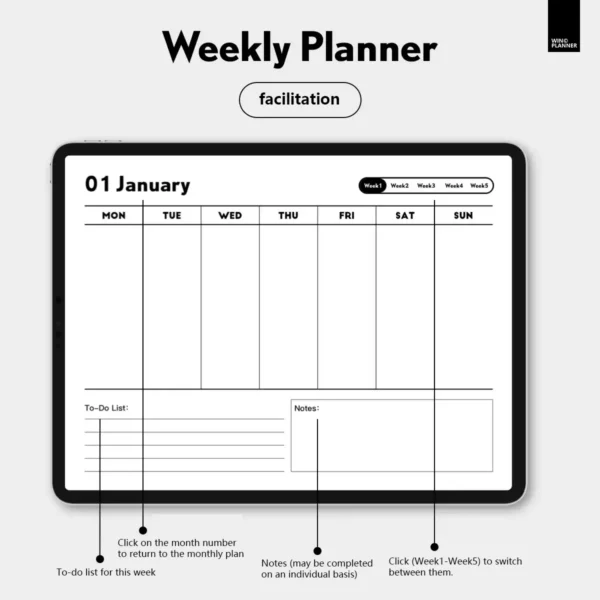
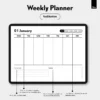
Weekly Ritual: Every Sunday or Monday, spend 10 minutes in your Weekly Planner page. Use the “TO-DO LIST” for non-negotiable tasks and the “Notes” section for context, ideas, or weekly affirmations.
Monthly & Quarterly Checkpoints: At month‘s end, fill out the Monthly Summary section. Every three months, dedicate 30 minutes to the Quarterly Review to assess progress and adjust course. This rhythm turns planning from reactive to proactive.
Real-World Applications: See Your Life, Organized
This planner shines across different lives. Here’s how:
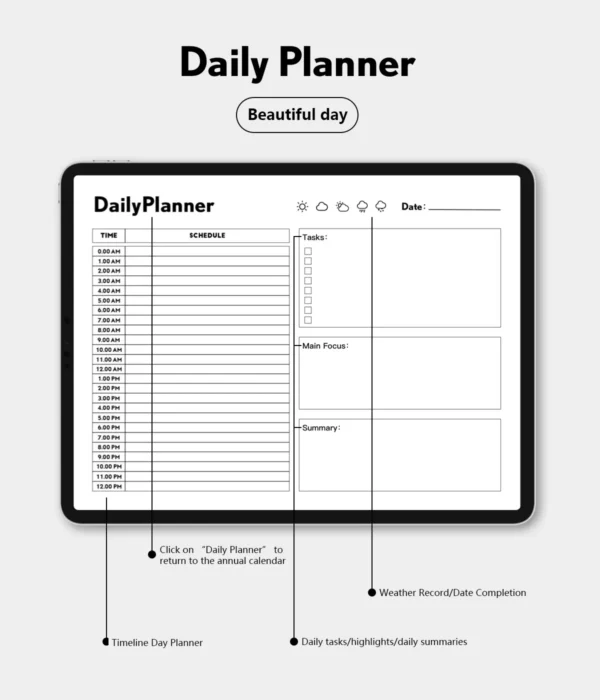
For the Project-Balancing Professional: Use the Monthly Planner to block out phases for your main projects (e.g., “Q2 Product Launch”). In the Weekly Planner, break these down into actionable tasks. Use the Daily Planner’s time blocks for deep work sessions. The Quarterly Review becomes your personal performance report, tracking milestones and lessons learned.
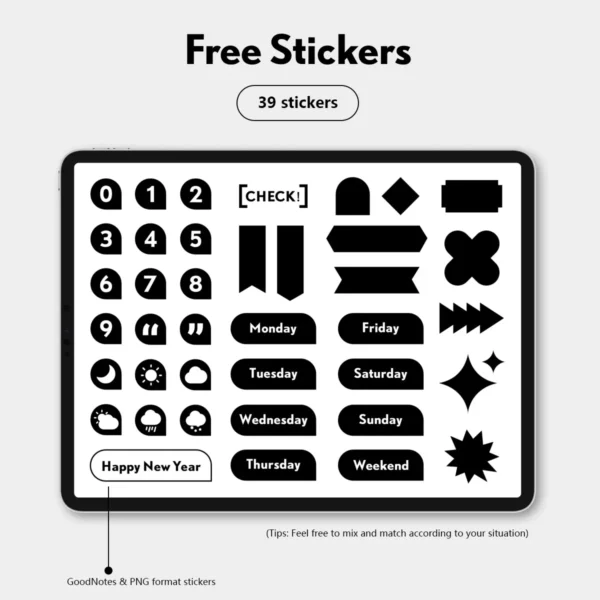
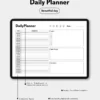
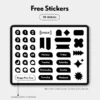
For the Juggling Student & Young Mom: Color-code using the sticker pack: pink for kid‘s activities, blue for study time, green for self-care. The Daily Planner is essential for time-blocking classes, study sessions, and pediatrician appointments. Use the Weekly Notes section for grocery lists or quick parenting ideas. The reflection sections help balance “getting things done” with personal well-being, preventing burnout.
Why We Built It This Way: The Genius of Hyperlinked Navigation
You might wonder, “Why invest in a pre-linked system when I can create blank pages?” The answer lies in cognitive load and habit formation.
Research in user experience design consistently shows that reducing friction is key to adoption. Every extra step—manually finding a page, scrolling, or searching—is a tiny point of friction that makes you less likely to use the tool consistently. Our one-tap, smart hyperlink system eliminates all that friction. It creates a “muscle memory” for your brain: goal review is always in the same, easy-to-reach place. This isn‘t just a convenience feature; it’s a behavioral design choice based on the principle that the right tool should feel like an extension of your thoughts, not an obstacle to them. We built it so you can spend your energy planning your life, not operating your planner.
The 2026 Ultimate Digital Planner Bundle vs. A Generic Alternative
| Feature | Our 2026 Ultimate Digital Planner Bundle | A Generic, Non-Linked PDF/Notebook |
|---|---|---|
| Navigation | One-Tap Hyperlinks between all sections (Year, Month, Week, Reviews). | Manual scrolling & searching. Time-consuming and disruptive to workflow. |
| Cohesion | Integrated Ecosystem: Daily tasks naturally ladder up to weekly goals, which connect to monthly and quarterly reviews. | Siloed Sections: Daily and long-term planning are disconnected, losing strategic alignment. |
| Purposeful Design | Minimalist, Intentional Layouts based on productivity principles (time-blocking, reflection prompts). | Often Just Blank Pages or Overly Decorative, lacking structure to guide effective planning. |
| Value | Includes Bonus Sticker Pack & Lifetime Updates for the 2026 version. | Just the template. No extras, no updates if issues are found. |
Your Complete 2026 Planning System Awaits
This bundle is more than a collection of pages; it‘s an invitation to build a better, more organized year. It’s for the person who is done with feeling scattered and ready to embrace clarity.
What You Get Instantly:
A professionally designed, hyperlinked
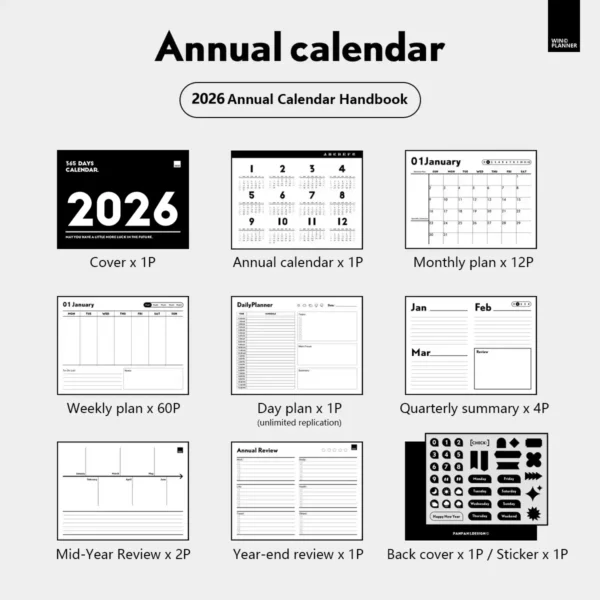
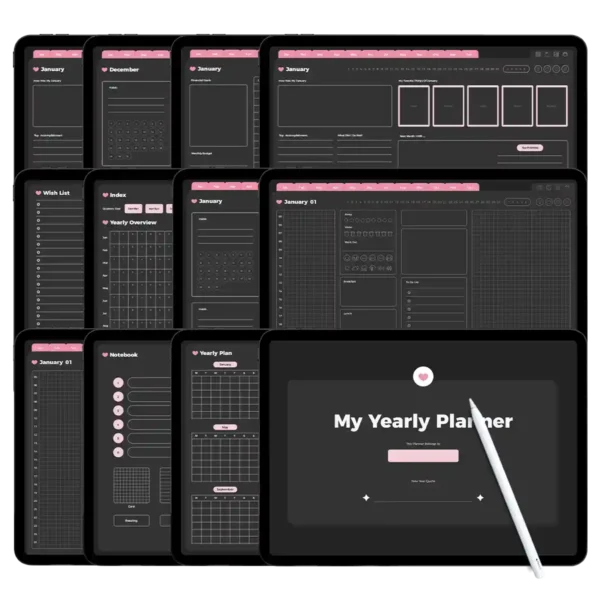
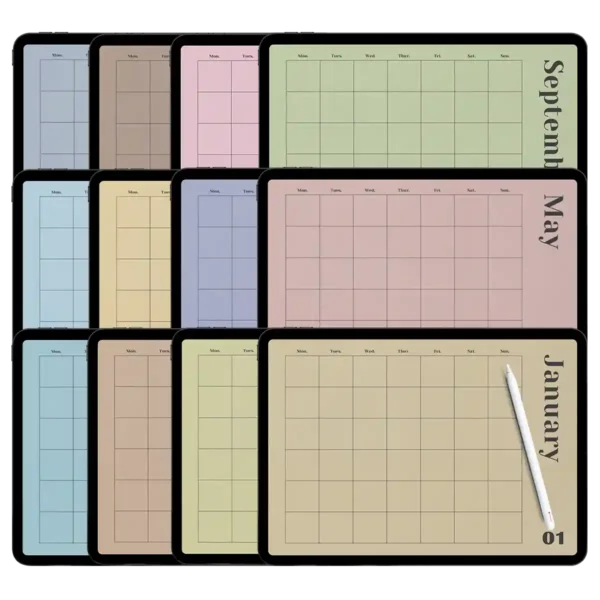
.goodnotesfile (compatible with GoodNotes, Notability, Noteshelf, Samsung Notes, and Xodo).83+ Purpose-Built Pages: Cover, 2026 Yearly Calendar, 12 Monthly Plans, 60 Weekly Plans, 1 infinitely replicable Daily Plan, 4 Quarterly Reviews, 2 Mid-Year Reviews, 1 Annual Review, and a Back Cover.
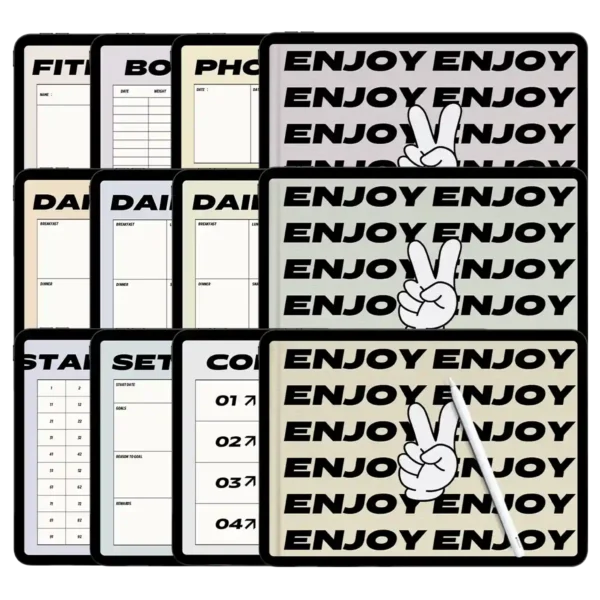
Bonus: 39 versatile PNG stickers for customization and fun.
Lifetime Access & Updates: Free updates for any enhancements made to the 2026 edition.
Ready to make 2026 your most intentional year yet? Click “Add to Cart” and get instant access to your digital planning headquarters. It‘s time to plan with purpose and peace of mind.
FAQ
Q: What‘s the best way to use this planner for managing multiple projects?
A: Absolutely! This planner is a powerhouse for project management. Use the Monthly Planner to map out key milestones and deadlines for each project. Then, in your Weekly Planner, break those milestones down into specific, actionable tasks in the TO-DO LIST. The Daily Planner’s time blocks are perfect for dedicating focused sessions to advance each project. Finally, use the Quarterly Review to evaluate the progress of all projects, identify bottlenecks, and reallocate resources. The hyperlinks make it effortless to zoom in and out between the strategic (monthly/quarterly) and the tactical (weekly/daily) views.Q: How can students make the most of this planner?
A: Students love this system! Color-code by subject using the included stickers. Use the Monthly Planner to note exam dates, paper deadlines, and breaks. The Weekly Planner is ideal for planning study sessions for each class, assignment due dates, and club meetings. The Daily Planner‘s time-blocks are crucial during exam periods for creating a detailed revision schedule. Don’t skip the review sections—they‘re fantastic for assessing study habits at mid-terms and finals, helping you improve each semester.Q: What apps and devices are compatible with these GoodNotes templates?
A: The primary file is a.goodnotesfile optimized for the GoodNotes 5/6 app on iPad. However, we also provide a high-quality PDF version. You can successfully import and use the planner in Notability, Noteshelf, Samsung Notes, and Xodo on iPads, Android tablets, and even some Windows devices with compatible stylus support. All interactive hyperlinks are preserved in the PDF for these apps. We recommend checking your specific app‘s support for linked PDFs.Q: Is this a physical product? How do I get it after purchasing?
A: This is a digital product only. There is no physical shipment. Immediately after your payment is confirmed, you will receive an email with a download link. You can also access the files instantly from your “My Account” page on our website. This means you can start planning within 2 minutes of purchase, no matter where you are in the world!Q: What is your update and refund policy?
A: Your purchase includes free lifetime updates to this 2026 planner bundle. If we add new pages or make improvements, you‘ll get a notification to download the new version. Due to the digital, instantly deliverable nature of our products, we generally do not offer refunds. However, we stand by the quality and functionality of our templates. If you encounter any technical issue that prevents you from using the files, please contact our support team within 7 days of purchase, and we will work diligently to resolve it for you.
【Tutorial】Import and hyperlink x1
【Materials】Planner stickers x1
【Activity】Sticker pack x1
2025Planner Year-round calendar x1
This product requires a compatible note-taking app, such as Goodnotes (recommended), Notability, or other apps. Please note that the app is not included with purchase. Each version includes PDF and Goodnotes files. Stickers are provided in separate PNG format and included in the .goodnotes file.
Download
After checkout, you can immediately access the files via the download link on the order confirmation page. You will also receive an email containing the download link. Please ensure the email address used during purchase is correct and capable of receiving emails.
Store Policy
This product is for personal use only; resale or distribution of the content is strictly prohibited. As this is a digital product, returns, refunds, or exchanges are not accepted. Please ensure your shopping cart is correct before completing the purchase.

나연 구 –
Great value for what you get. Dated planners usually feel restrictive, but this one is well-structured yet flexible. My go-to for 2026 already🤝🏻
Roxanne –
The 39 stickers actually match the minimalist vibe👏🏻👏🏻👄💗
Michelle –
Dates are pre-set, navigation is intuitive, and the clean design makes planning actually enjoyable~~~~~~~~~~~~~~ 🙂
Natasha vines –
Works flawlessly on my Android tablet with Noteshelf. Syncs well and the hyperlinks are super responsive. 2026 is already looking organized💻️🌞
Whitney Dunlap –
As a teacher, this keeps my lesson planning seamless👌🏼👌🏼
Emily Cough –
The minimalist design helps me focus🧠
Kevin Pernillo –
Love that it’s pre-dated for 2026. Makes planning ahead effortless. Hyperlinks between monthly and weekly views work perfectly in GoodNotes
Hey Hallie Rae –
No distracting graphics, just clean pages and smart design. I love how quickly I can jump from my monthly goals to a specific day’s to-do list. The stickers add just enough personality. It’s exactly what I needed to start 2026 with focus🍄
Kelly McQuiston –
Finally, a planner that’s simple but still has everything. The 39 free stickers are actually useful, not just decorative. I use this daily on my iPad for both work and personal stuff
Debbie –
The clean layout is exactly what I needed
Navigation is smooth and the 2026 dates are already set up – saves me so much time
Great for keeping my work projects on track
Angie –
Simple layout, clear dates, and the stickers help me color-code without overwhelm. Best digital planner I’ve tried💖💖💯💯