
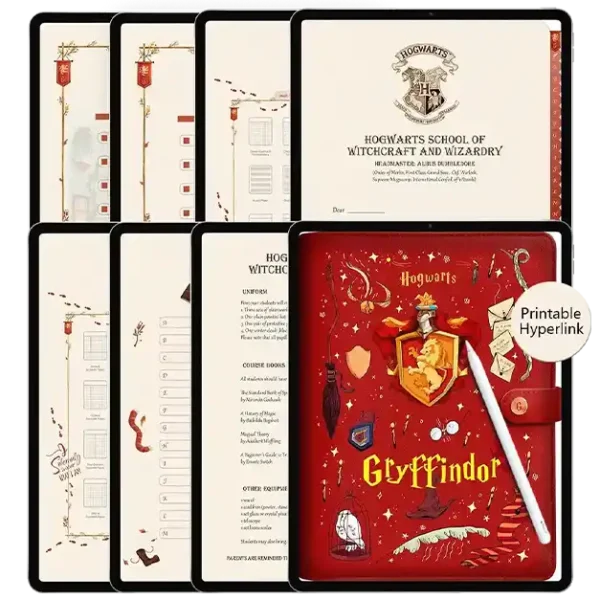
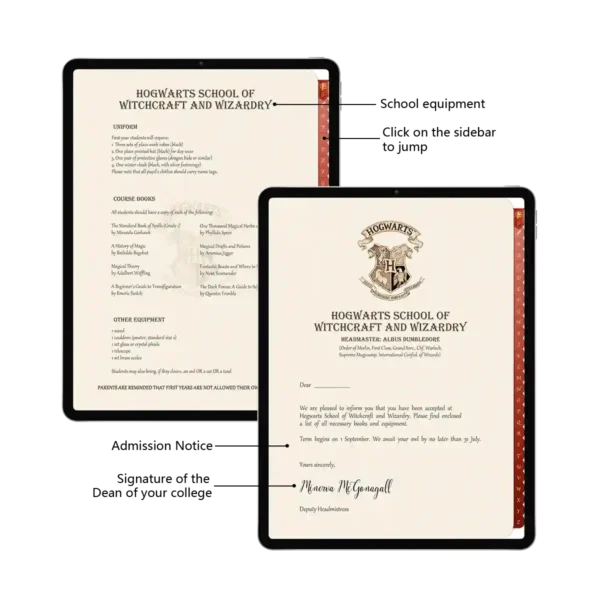
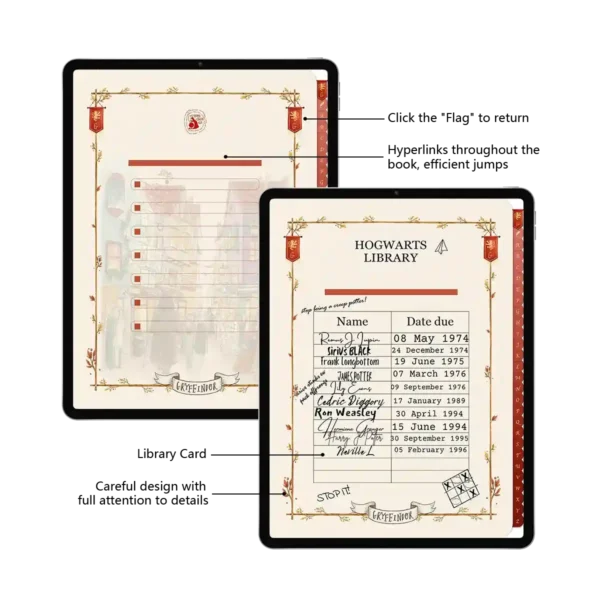
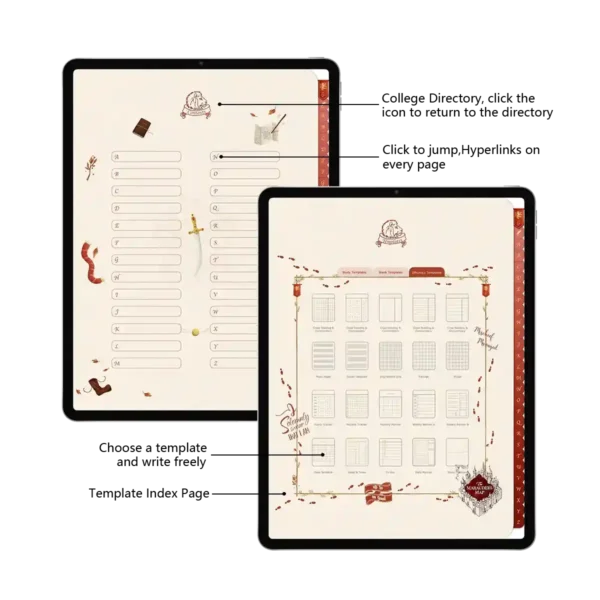
Key Interactive Features & Technical Specs
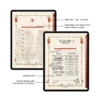
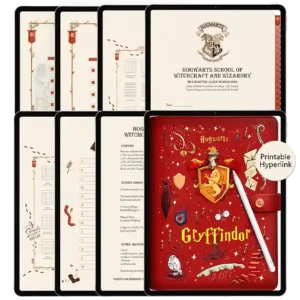
Magical Hyperlinked Navigation: Features a full hyperlinked design with an interactive college directory for instant, zero-lag jumps across 94+ pages.
Zero-Lag Performance: Engineered as an optimized no-lag PDF, ensuring smooth page flipping on iPad Pro and older tablets.
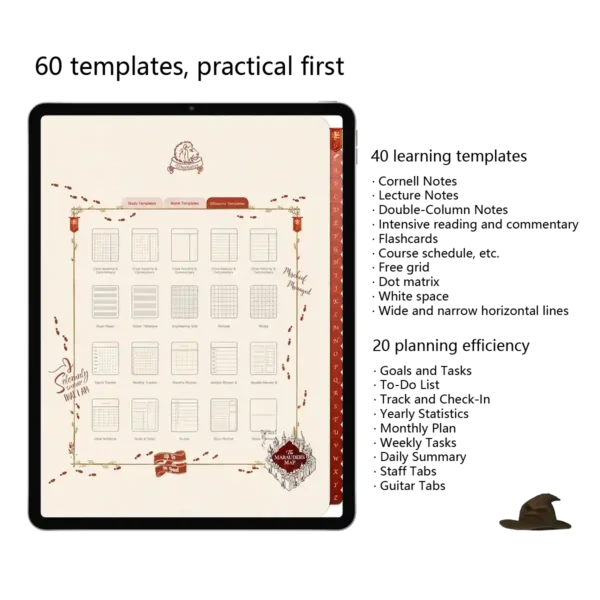
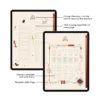
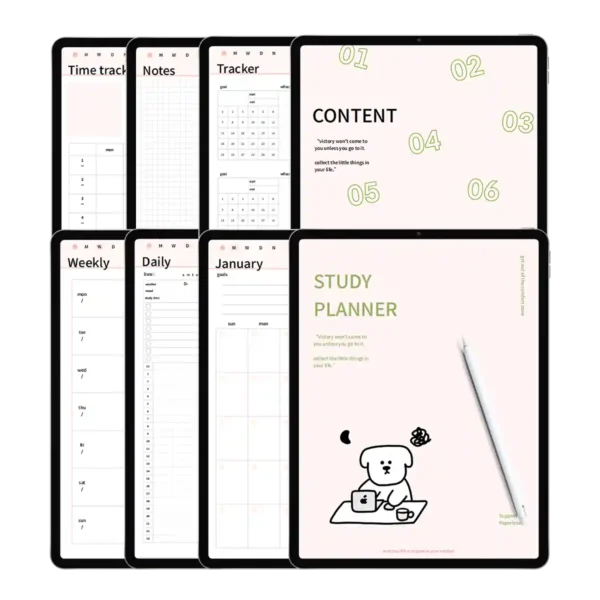
Professional Academic Suite: Includes 40 learning-focused templates like Cornell Notes and Flashcards for a comprehensive planner academic experience.
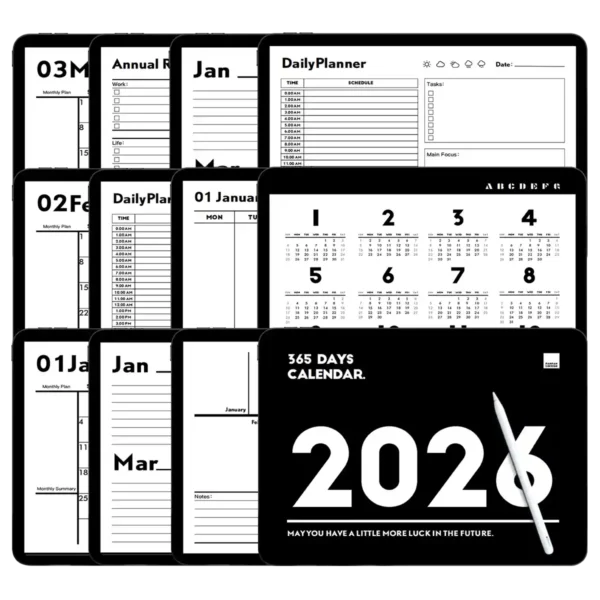
Efficiency Planning Hub: 20 productivity layouts including Yearly Statistics, Monthly Plans, and Daily Summaries to manage your goals like a pro.
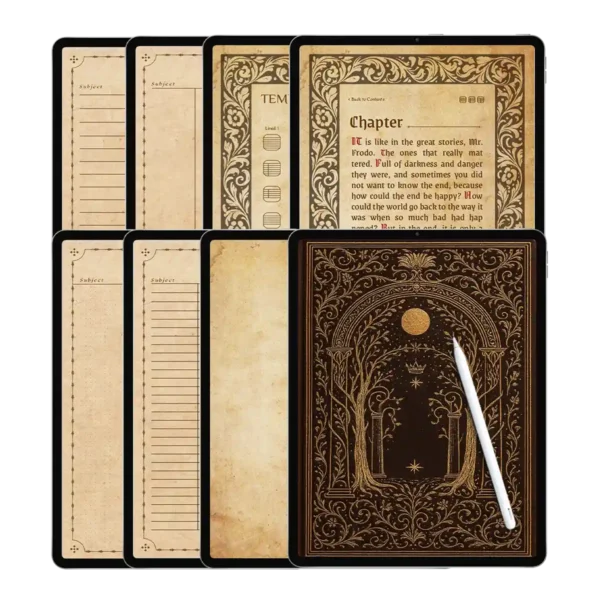
Ultra-Sensory Paper Texture: High-resolution digital “super-sensory” paper that provides a realistic, ink-on-paper feel.
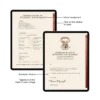
Premium Faux-Leather Cover: Designed with a sophisticated leather-look texture, college crests, and a functional leather strap jump-point.
Universal Compatibility: Optimized for the Software Ecosystem, performing flawlessly in Goodnotes, Notability, and Samsung Notes.
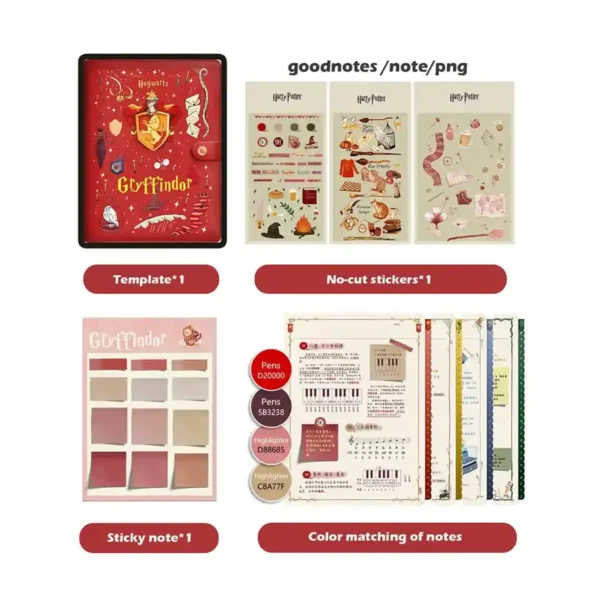
Full Customization Kit: Comes with 100+ no-cut digital stickers and 37 unique emoji stickers to personalize your Digital Notebooks.
Experience the Magic of Organization with Gryffindor Student Planners
Whether you’re a freshman at a muggle university or a lifelong fan of the wizarding world, these student planners are designed to make your daily study routine feel truly extraordinary. We believe that a simplified planner should be more than just functional—it should be an experience. This Gryffindor-inspired digital bundle is the ultimate companion for your Digital Notebooks collection, combining the charm of Hogwarts with the power of modern productivity.
(1) A Seamless Fit for Your Software Ecosystem
Our digital stationery is meticulously engineered for the modern Software Ecosystem. We recommend using this template on an iPad Pro paired with an Apple Pencil to fully appreciate the “ultra-sensory” paper texture. While it shines as a Goodnotes template, it is fully compatible with Notability, Noteshelf, Samsung Notes, and Xodo. Each page is an optimized, no-lag PDF, ensuring that your happy planner notebooks stay responsive even as you add hundreds of handwritten notes and high-resolution images.
(2) Practical First: 60+ Templates for the Modern Scholar
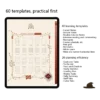
At the heart of this planner academic suite are 60 practical templates. We’ve divided the content to cover every aspect of your life:
Study Harder: Master complex subjects with Cornell Notes, intensive reading logs, and course schedules.
Plan Smarter: Use the yearly, monthly, and weekly layouts to track your Goals and Tasks with the precision of a Prefect.
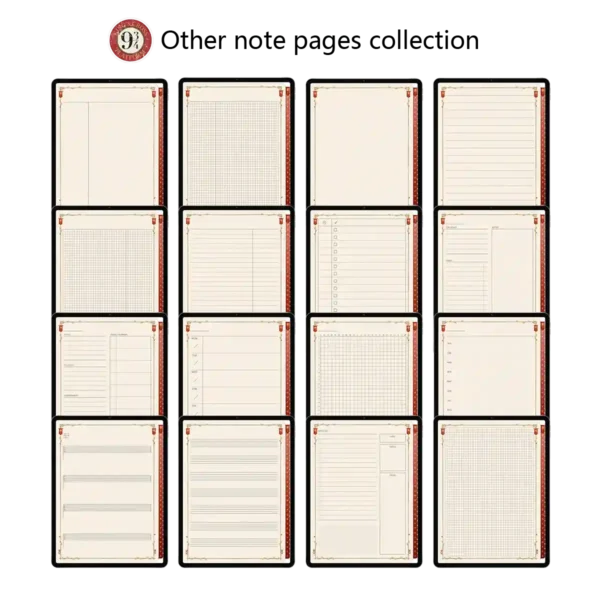
Creative Freedom: From guitar tabs to staff paper and blank grids, there is a space for every creative spark.
(3) Expert Tips: Mastering Your Hyperlinks and Stickers
Expert Insight: To ensure the most efficient experience with your Digital Notebooks, remember to switch your app to “Read-Only Mode” when using the hyperlinked design to jump between sections. When importing your 100+ exclusive stickers, use the “Lasso Tool” in Goodnotes to quickly position your House artifacts and house-themed sticky notes without interrupting your study flow.
Product Specs Table
| Attribute | Specification |
| Primary Theme | Gryffindor Wizarding World Aesthetic |
| File Format | High-Res Interactive PDF + PNG/Goodnotes Stickers |
| Device Support | iPad, Android Tablets, Microsoft Surface |
| App Compatibility | Goodnotes, Notability, Xodo, Samsung Notes |
| Total Layouts | 60+ Specialized Learning & Efficiency Templates |
| Navigation | Full Interactive Hyperlinks throughout the book |
| Instant Access | Yes, via Instant Digital Download |
FAQ
Q1: How do I import these student planners into Goodnotes? A: Importing is easy. Simply download the file, open Goodnotes, tap the “+” icon (New), select “Import,” and choose the Gryffindor PDF from your downloads.
Q2: Does this magical notebook work on Android devices? A: Yes! While many users enjoy it on iPad, our Digital Notebooks are fully compatible with Android apps like Samsung Notes and Xodo, preserving all hyperlinked functionality.
Q3: How do I receive my files after purchasing? A: You will receive an instant download link immediately after checkout. This includes your interactive planner PDF, digital sticker packs, and color palette guides.
Included Files:
After checkout, you will be redirected to a page where you can download your files. You will also be emailed with your purchased file
Upon purchase, you will be given access to (1) download dashboard PDF file.
You can download all planner options, stickers, and covers by opening this file in your web browser (Safari is recommended)
The download contains the following:
• 1 x Gryffindor Notes Template
• 1 x Digital stickers(GoodNotes/Notability/Png three formats)
To Use:
iPad & Mac
This planner is designed to work best on the iPad and can be used on all versions and sizes. To use the planner on an iPad, you will also need an accompanying note app such as GoodNotes , Noteshelf, Notability, Samsung Notes and Xodo.
The planner can also be used on an iMac or MacBook with the GoodNotes and Noteshelf apps’ desktop version.
Android/PC
This planner can be used with most Android tablets. However, since there is such a large variety of tablets, we cannot guarantee that the planner will work on all Android devices. If your device supports the Noteshelf or Xodo app, you should be able to use the planner template as well.
Have a question about using the planner? Check out our Answer Vault where we answer our most frequently asked questions.
Return Policy:
Please note that this is a digital product and no physical product will be shipped. Also, due to the irretrievable nature of digital files, all sales are final. Please review the listing thoroughly before purchase. Not sure if the product will work for you? Feel free to send any questions to hello@harrypotterplanner.com
Taylor Panczer –
good!!!!!!!!!!!!!!!!!!!!!!!!!!!!
Natalie Peters –
Recovering from surgery is tough, but this planner helps me bravely track my rehab milestones
Kari Huitt –
I’m using it to bravely track my job search. Every application sent feels like a completed quest, marked with a lion sticker!
Alison Wehi –
The red leather background doesn’t distract at all when writing. It actually helps my handwritten notes pop and look neat.
Whitney McCallister –
It’s my go-to for logging workouts and meal prep. Makes healthy habits feel like a heroic achievement. 💪🥗
Irene Figueroa –
The vibrant red and gold design is so uplifting. Using this planner on my iPad for school notes actually motivates me to tackle challenging subjects. The Gryffindor crest looks fantastic!
Olga –
It’s not just a planner; it’s a mood booster. Opening it instantly makes me feel more motivated
Amelia Hernandez –
It’s the perfect mix of magic and productivity😏😏😏😏😏😏😏😏😏😏😏😏😏😏😏😏v
Charles –
The author is very attentive, and the details are very meticulous!🤩
stacyfaith22 –
Highly recommend!!!😘😘
Lucero Gomez-Hernandez –
Thank you very much for your support!
Alyssa Alfieri –
I use the hyperlinked tabs for each of my D&D campaign characters. Game night planning has never been this epic!
alexandra disilvio –
Perfect for tracking my marathon training. Each long run feels like a heroic quest now.
Schmeca –
Planning my trip to the Wizarding World with this notebook has doubled the excitement! ✈️🧙 I’ve used the hyperlinked sections for itineraries, must-try butterbeer spots (marked with stickers), and a packing list for my robes. Seeing the acceptance letter first thing made it feel like the trip truly started the moment I began planning. It’s the perfect travel companion for any Potterhead.
Mayra Schulz –
I’m using the different sections to finally write that novel. Every chapter feels like a new magical challenge.
Jessica Gensel –
The hyperlinked “index” page is genius. I have everything from workout logs to recipe collections in one notebook, all one tap away.
Esmeralda Ovalle –
The acceptance letter alone was worth it! Totally sparked my magic after a long day. ✉️🌟
Dave Altshul –
I journal about my anxiety in here. Framing worries as “Dementors” to face and brave moments as “House Points” has been surprisingly therapeutic
Christina Hull –
Perfect for my fantasy football league! My team lineup is now my “Quidditch squad,” and the stickers make the stats sheet way more fun. 🏈⚡
Lauren Alane Richardson –
I’m learning a new language and using a section for it. Every mastered lesson gets a “Wingardium Leviosa” sticker—because my skills are now levitating!
Stephanie Visger –
As a camp counselor, I use it to plan adventurous activities for my kids. They love the stickers!
Paige Lindblad –
I use the “Acceptance Letter” page as my daily inspirational screen. A magical way to start the morning!
Allison Murry –
Finally, a digital planner where the red isn’t orange or pink, but a true, brave Gryffindor scarlet. 🦁❤️
Amy Cole –
I like this. I am a student and use a schedule to assist with my time management. Being able to print these makes it so much better
Chelsie –
The colors and icons are so vibrant on my iPad. It genuinely brightens my daily task list~~~